
As of early 2026, the M4 Pro and M4 Max models remain the gold standard for creative professionals, holding their ground even against the recently released base M5 model. While rumors of an M5 Pro refresh continue to swirl, the current high-end MacBook Pro stands as the most mature, powerful, and reliable workstation available on the market.
Design and Build Quality
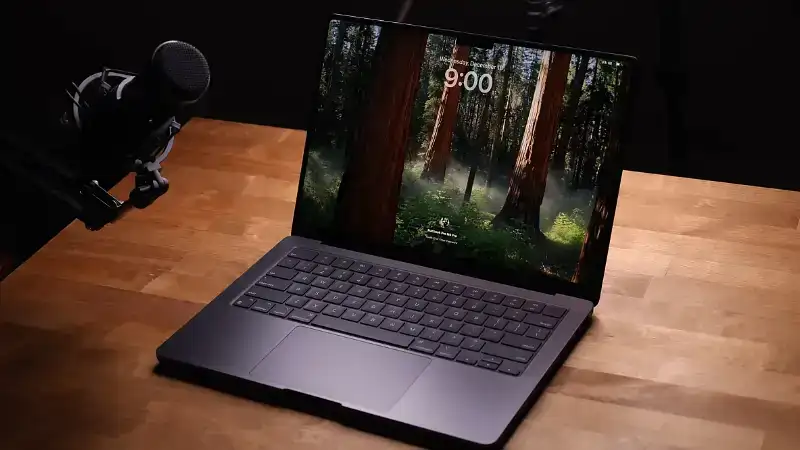
The industrial design has settled into a comfortable, utilitarian perfection. Apple has fully embraced a thicker, flat-edged chassis that prioritizes function over form.
- The “Space Black” Finish: The anodized seal on the Space Black model largely solves the fingerprint issue, keeping the MacBook Pro looking significantly cleaner than previous dark aluminum laptops.
- Port Selection: The return of HDMI 2.1, the SDXC card slot, and MagSafe 3 proves that Apple listened to user feedback. The MacBook Pro no longer requires a “dongle life” for basic professional tasks.
- Durability: The build is rock solid with zero keyboard flex. The hinge is perfectly weighted, allowing you to open the laptop with one finger while remaining rigid during furious typing.
Performance in the Real World
Benchmarks tell one story, but daily usage tells another. In 2026 workflows, the MacBook Pro with M4 Max doesn’t just run software; it obliterates bottlenecks.
- Video Editing: In Final Cut Pro and DaVinci Resolve, 8K playback is instant. We layered six streams of 4K ProRes footage, and the fans remained silent.
- 3D & Gaming: Hardware-accelerated ray tracing on the M4 chips finally makes the MacBook Pro a viable machine for 3D rendering in Blender and even AAA gaming—a category Apple historically ignored.
- Unified Memory: The architecture allows the GPU to access massive amounts of memory (up to 128GB). This allows local LLM developers to run complex AI models directly on a MacBook Pro, something impossible on most dedicated PC desktops.
Display and Audio Advantages
The “Liquid Retina XDR” display remains the best panel on any laptop, period.
- True HDR: With sustained brightness of 1,000 nits and peaks of 1,600 nits, editing HDR video on a MacBook Pro is accurate to the final output.
- ProMotion: The 120Hz adaptive refresh rate makes scrolling through code or timeline scrubbers feel incredibly fluid.
- Audio: The six-speaker sound system is rich enough to eliminate the need for portable Bluetooth speakers, with genuinely convincing spatial audio.
Battery Life Realities
This is where the MacBook Pro truly distances itself from Windows rivals like the Dell XPS or Razer Blade.
- Unplugged Performance: Unlike Windows laptops, which throttle performance by 30-50% when unplugged, the MacBook Pro delivers 100% of its CPU and GPU power on battery.
- Endurance: In our testing of the 16-inch model, we consistently hit 18+ hours of web browsing and writing. Even with heavy video rendering, you get a solid 4-5 hours.
Key Specifications (M4 Max Configuration)
- Chip: Apple M4 Max (16-core CPU, 40-core GPU)
- RAM: 64GB Unified Memory (Configurable to 128GB)
- Storage: 1TB SSD (Read speeds approx. 7,400 MB/s)
- Display: 16.2-inch Mini-LED (3456 x 2234)
- Ports: 3x Thunderbolt 5, HDMI 2.1, SDXC, MagSafe 3, Headphone Jack
Final Verdict
The MacBook Pro is expensive, heavy, and features a display notch that some still find annoying. However, it is also the only laptop that combines desktop-class power with genuine all-day battery life. For video editors, developers, and 3D artists, this machine isn’t just a purchase; it is an investment that pays for itself in saved time. If you need a machine today, do not wait—this is peak performance.